Is the DWARFLAB Dwarf Mini worth $399?
▼
For astrophotography beginners and travellers, yes. It delivers genuine deep-sky images — galaxies, nebulae, Milky Way — with zero astrophotography experience required. The Sony IMX662 sensor, three built-in filters, and EQ-mode 90-second stacked exposures punch well above the price. If you primarily want to look at planets visually through an eyepiece, look elsewhere.
How does the Dwarf Mini compare to the ZWO Seestar S30 Pro?
▼
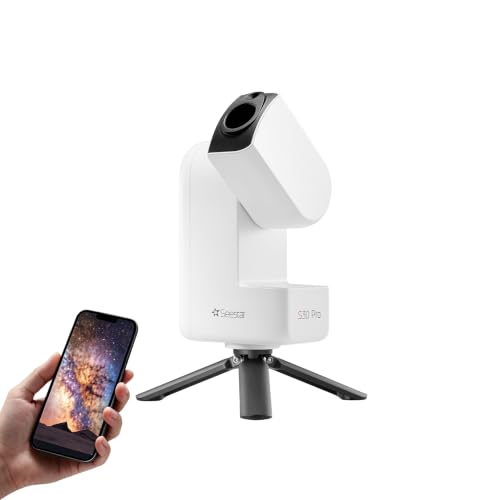
Both are all-in-one smart scopes in the $400–$500 range. The Dwarf Mini (1.85 lb, 30 mm, 64 GB storage, 3 filters) is lighter and has more built-in storage. The Seestar S30 Pro (1.5 lb, 30 mm, 4K dual camera) is slightly lighter and shoots 4K video; its dual-camera system is better for wide-field Milky Way shots. For portability and dedicated astrophotography the Dwarf Mini edges ahead; for 4K wildlife/daytime use the S30 Pro wins.
Can the Dwarf Mini be used in a light-polluted city?
▼
Yes. The built-in Duo-Band filter (H-alpha + OIII) cuts the wavelengths responsible for most urban skyglow, enabling nebula imaging from Bortle 7–8 skies. Galaxies and star clusters also work from the city; longer stacking sessions (2+ hours) produce better results in high light-pollution.
Does the Dwarf Mini need Wi-Fi or internet to operate?
▼
No internet connection is required. The scope creates its own Wi-Fi hotspot that your phone connects to directly. All processing can be done on-device, stored to the 64 GB internal memory. Optional cloud-processing mode exists but is not required.
What is the difference between AZ mode and EQ mode?
▼
AZ (Altazimuth) mode is the default: set on any flat surface, open the app, start imaging in about 3 minutes — maximum single exposure is 30 seconds. EQ (Equatorial) mode needs a compatible fluid-head tripod: it compensates for Earth's rotation, unlocking 90-second individual exposures for significantly sharper deep-sky detail. First EQ alignment takes ~10 minutes.
Can the Dwarf Mini see planets like Saturn and Jupiter?
▼
It can resolve Saturn as a ringed shape and Jupiter with its four Galilean moons, but the 30 mm aperture is too small for crisp Cassini Division or cloud-band detail. A 6"–8" reflector will produce dramatically sharper planetary views. For planets, the Dwarf Mini is not the right primary tool.
Do you need a separate tripod for the DWARFLAB Dwarf Mini?
▼
For AZ mode, no — built-in feet work on any flat surface. For EQ mode (required for 90-second exposures), you need a compatible fluid-head tripod. DWARFLAB's own Mini Tripod ($89) is purpose-built and the recommended option.
How long does the Dwarf Mini battery last?
▼
Approximately 3.5–4 hours of continuous imaging on a full charge from its 7,000 mAh battery. In cold conditions (below 10°C / 50°F) real-world runtime is closer to 3 hours. The scope charges via USB-C and can operate while connected to a power bank.
Is the DWARFLAB Dwarf Mini good for beginners?
▼
It is arguably the best smart telescope for absolute beginners. There is no eyepiece to collimate, no focuser to adjust, and no stacking software to learn. You tap a target in the DWARFLAB app, it slews and stacks automatically, and sends processed photos to your camera roll. The learning curve is essentially the same as a smartphone camera.
What is the DWARFLAB app like?
▼
The DWARFLAB app (iOS and Android, free) includes a full Sky Atlas showing current overhead objects, one-tap GOTO slewing, real-time live stacking preview, filter selection (Astro, Duo-Band, or none), EQ/AZ mode toggle, and a session library. Output formats include JPG, FITS, and TIFF for photos; MP4 for video. Firmware and app updates have been consistent since launch.